
CyberGate Assist · Early access
Every visitor answered. Even when the reception is empty.
Meet the AI voice assistant for CyberGate. It welcomes visitors at your intercom, asks what they need and connects them to the right colleague in Microsoft Teams. Even when reception is empty.

When nobody is at the reception desk
The intercom doesn’t
wait for a quiet moment.
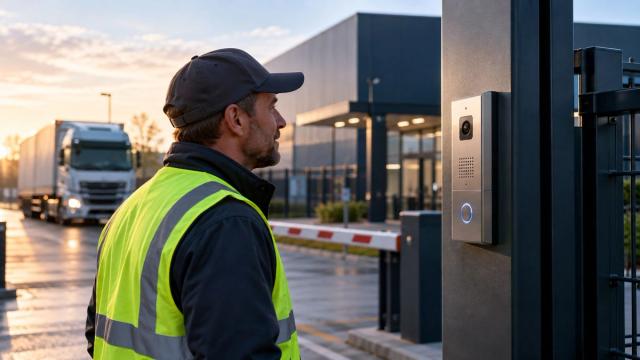
The first delivery arrives before reception opens. A visitor rings during lunch. A contractor needs a contact at an unstaffed site. Someone still needs to answer.
CyberGate Assist gives your entrance a voice. It handles the first conversation and routes the visitor to a colleague in Teams, so your team can step in where it matters.
How it works
From intercom
to the right colleague.
Step 1: A visitor rings
A visitor presses the intercom at your entrance or gate. CyberGate Assist answers and starts the conversation.
Step 2: The assistant listens
It asks who the visitor is and why they are there, following the instructions you configure for that assistant.
Step 3: Your colleague takes over in Teams
The call goes to the colleague or call group you configured. If nobody answers, fallback routing tries the next configured contact.
A delivery at 06:14.
A driver is early. Reception is still closed. A short conversation gets the call to the warehouse.
Illustrative conversation. The assistant’s responses and destinations depend on your configuration.
CyberGate Assist
“Good morning, welcome to the distribution centre. How can I help you?”
Visitor
“I have a delivery for dock 4, but I’m an hour early.”
CyberGate Assist
“I’ll put you through to the shift lead in the warehouse.”
Next: an incoming call in Microsoft Teams for the configured warehouse contact.
Your entrance. Your instructions.
Give each assistant
a clear brief.
Set up your assistant in the CyberGate portal under Automation. Give it instructions for the entrance it serves and configure the Teams contacts that can take over.
A delivery gate needs a different conversation from a school entrance. Start with one location, try the conversation and refine the instructions with your team.
CyberGate Assist is an add-on to CyberGate. Your existing compatible intercom remains the point of contact for visitors.

Works with the intercoms you already have
One AI assistant.
Every intercom brand.
CyberGate Assist runs in CyberGate, not in the intercom. So it works with every intercom connected to CyberGate, across the 30 brands on our compatibility list, including brands that don’t offer an AI voice assistant of their own.
Running several brands across your sites? You configure one assistant in one place, not one per brand.
Where it helps
Same assistant.
A different job at every door.
Distribution centres
Ask drivers which dock they are delivering to, then connect them to the configured warehouse contact.
Schools and campuses
Ask parents and visitors who they have come to see, then route the call to the appropriate Teams contact.
Public buildings
Give visitors an initial response when the front desk is unattended and connect them to a configured contact.
Unstaffed locations
Ask contractors for their company and work order before routing the conversation to your team.
Hear it for yourself
Try the conversation.
Before you touch the intercom.
We can set up CyberGate Assist as an application in your Microsoft Entra tenant. Call it from the Teams desktop app and hear how it responds, without an intercom for the demo.
Bring a real scenario from your entrance. Together we can explore the instructions, call destinations and handover that fit your location.
Explore the thinking behind connecting AI to physical devices in our article “AI Doesn’t Have Hands”.

Before you get started
Questions about
CyberGate Assist
Is CyberGate Assist available now?
CyberGate customers can request early access through our support team. Contact us for the current rollout and availability.
Do I need CyberGate?
Yes. CyberGate Assist is an add-on to CyberGate and runs as part of the same platform. Every intercom connected to CyberGate can use it.
Does it work with my intercom brand?
If your intercom is connected to CyberGate, yes. CyberGate Assist works with all 30 brands on the compatibility list, even when the manufacturer has no AI voice features of its own. Several brands on one site? You still run one assistant, not one per brand.
What happens if a colleague doesn’t answer?
Fallback routing tries the next contact you configured. We can help you map the handover and fallback destinations for your location.
Can the assistant see the visitor?
CyberGate Assist currently works with speech. The assistant does not interpret the visitor’s camera image. The visual examples on this page illustrate a voice conversation and handover.
Which languages can I use?
CyberGate Assist speaks eight languages: English, Dutch, German, Spanish, French, Italian, Portuguese and Chinese. You choose the language it opens the conversation in. If the visitor answers in another of these languages, or switches mid-call, the assistant switches with them. Need a language that isn’t on the list? Let us know.
How can we review security and data handling?
Contact us to review the deployment, data handling and security documentation for your intended setup before enabling early access.
What does CyberGate Assist cost?
Contact us for the current early access terms and pricing for your CyberGate environment.
Let the next visitor start a conversation.
Hear CyberGate Assist in a demo, or ask our support team about early access for your CyberGate tenant.
