
CyberGate API
Your intercom data, in the systems you already run
Pull every intercom call and every door opening into your SIEM, dashboards and compliance reports. See who takes intercom calls and set Teams users' availability from your own apps. One API for devices from more than 30 brands.
One platform, one format
Stop stitching together
vendor-specific reports
Every intercom, paging and camera vendor ships its own reporting tool, its own log format and its own provisioning workflow. Getting one clear answer to "who was at which door, when, and who let them in" means exporting and reconciling several systems.
CyberGate already connects IP Video Intercoms, IP Paging systems and SIP-enabled IP Cameras to Microsoft Teams with one user interface, one call log format and one audit trail format. The CyberGate API adds the last piece: one programmatic interface to all of it.
What the API does
Four building blocks,
one secure interface
Everything your CyberGate environment records and controls, available over a REST API.
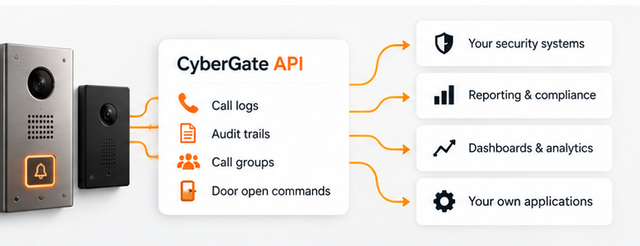
Call logs
Every intercom call with date, time, duration and status (answered, missed or cancelled), plus which Teams user answered and whether access was granted to the visitor.
Audit trails
A continuous record of who changed what in your CyberGate environment and who granted access. Evidence for ISO and SOC audits, without manual exports.
Call groups
See who is in which call group and set or unset availability for Teams users, so the right people take intercom calls at the right time.
Door open commands
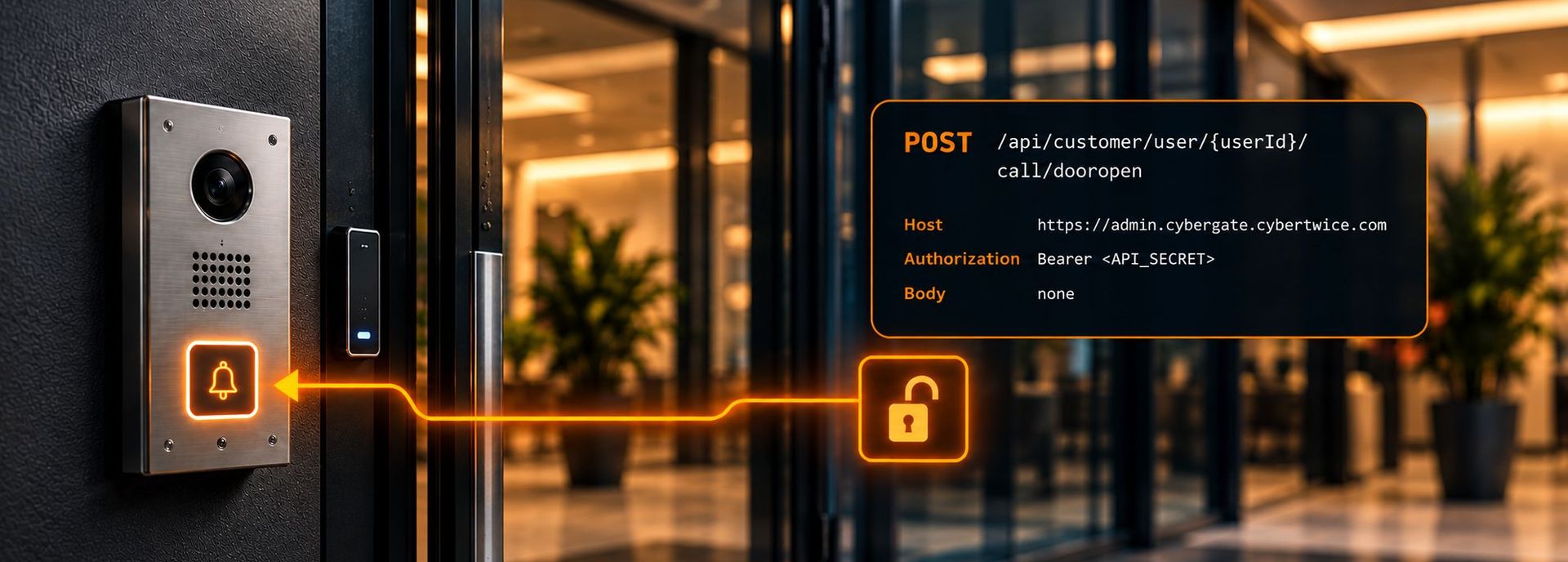
Open the door from your own application while a CyberGate intercom call is active, and tie every opening to the call and the person behind it.
Near-real-time visibility
Every entrance,
on one screen
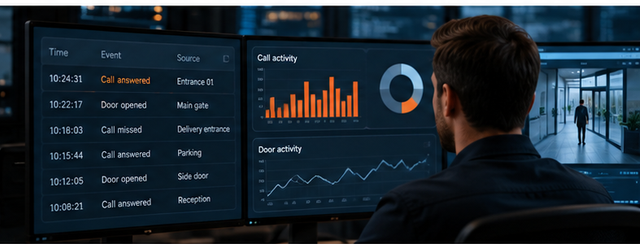
Build dashboards of every intercom call, refreshed at the interval you choose: date, time, duration, whether the call was answered, missed or cancelled, which Teams user picked up, and whether access was granted to the visitor.
Spot the delivery entrance that keeps going unanswered, or the side door that opens outside office hours, before it turns into an incident.
Use cases
What customers build
with the CyberGate API
SIEM integration
Pull call log and audit trail events into Microsoft Sentinel, Splunk or any other SIEM on a schedule you set, and correlate physical access with the rest of your security data.
Compliance reporting
Automate ISO- and SOC-compliant physical access reports that show who entered which premises, when, and who in your organisation granted access.
Live dashboards
Build a near-real-time overview of all intercom traffic across your sites: missed calls, response times and busiest entrances.
Anomaly detection
Flag unusual patterns early, such as doors opened outside office hours or access granted by someone who normally never answers.
Availability automation
Link call group membership to rosters, shift planning or presence, so the front desk is always covered without anyone updating the portal by hand.
Evidence with recordings
Pair the call log with ATTEST, which records the audio and video of intercom calls and paging announcements, for complete, verifiable evidence.
Getting started
Get started with the API
in under a minute
Any CyberGate customer can set up API access in the portal. No support request, no waiting.
Step 1: Log in to the CyberGate Management Portal
Sign in to the CyberGate Management Portal (CMP) with your admin account.
Step 2: Go to Administration → API Access
Everything you need to connect to the API is on this page.
Step 3: Generate your API secret
Create the API secret directly in the CMP and send it as a Bearer token in the Authorization header of every request.
Built for developers
A REST API
your team can pick up today
Authenticate with an API secret as a Bearer token, call JSON endpoints, and handle rate limits with standard retry logic. Nothing proprietary to learn.
The documentation in the CyberGate Management Portal covers every endpoint, lets you test requests right away, and includes the OpenAPI (Swagger) file to generate a client in the language you prefer.

CyberGate API
FAQ
What does the CyberGate API cost?
The CyberGate API is currently free of charge for CyberGate customers.
How do I get access?
Set it up yourself. In the CyberGate Management Portal, go to Administration → API Access and generate your API secret. No support request is needed.
How does authentication work?
Every request carries your API secret as a Bearer token in the Authorization header. The only endpoint that works without it is the public version endpoint.
Which data can I retrieve?
Call logs, audit trail events and call group membership for your own CyberGate tenant, covering devices from more than 30 supported brands in one consistent format. You can also send a door open command while a CyberGate call is active.
Does the API push events to my system?
No. The CyberGate API works by polling: your application requests new call log and audit trail events at an interval you choose, within the rate limits. There are no webhooks or event streams.
Are there rate limits?
Yes. Requests are rate-limited to protect the service. Above the limit the API returns 429 Too Many Requests, so build in retries with exponential backoff.
Is there an OpenAPI specification?
Yes. The API documentation in the CyberGate Management Portal includes interactive testing and a downloadable OpenAPI (Swagger) file you can use to generate a client.
Can I request new API functions?
Please do. We shape the API roadmap based on customer feedback. Contact us or reach out to your CyberTwice account manager with your use case.
Put your intercom data to work
Set up API access in the CyberGate Management Portal, or tell us what you want to build and we'll help you get there.
