Section showcase
1 — Hero (sectionHero)
This page renders every page builder section with demo data so you can spot regressions at a glance.
Body text supports bold, italic and inline links. Hero has no spacing fields.
Voorbeeld inline link: bekijk de documentatie (externe link, nieuw tabblad).
Intro statement
2 — Intro (sectionIntro)
Rotating accent line one
First slide description. With multiple items the section auto-rotates.
Second slide description. Verifies the rotation animation.
Third slide. Loops back to the first afterwards.
Image + text
3 — Image + Text
(sectionImageText)
Subtitle — verifies eyebrow, two-line headline with accent colour, and body text on the side opposite the image.
First paragraph of body text. Should render with prose typography.
Second paragraph met een externe link naar example.com.
En een interne link naar de homepage via de internalLink-annotatie.

4 — Rich Text (sectionRichText) H2
This section renders blockContent. It should support headings, paragraphs, lists, links and other rich-text marks defined in the blockContent schema.
Paragraaf met een externe link (opent in nieuw tabblad).
Paragraaf met een interne link naar de homepage — via Sanity-referentie.
- Bullet item one
- Bullet item two
5 — Two Column (left) H2
Left column body. Uses blockContent. Verify ratio, vertical alignment and background variants.
Met een externe link om inline-link styling te beoordelen.
Right column H3
Right column body. Should sit beside the left column at md and up.
Met een interne link naar de homepage — via Sanity-referentie.
7 — Stagger Grid (sectionStaggerGrid)
Solution cards laid out in a staggered grid. Each card has its own gradient and icon.
Eyebrow
8 — Solutions Carousel (sectionSolutions)
Headline (accent)
Subtilte text
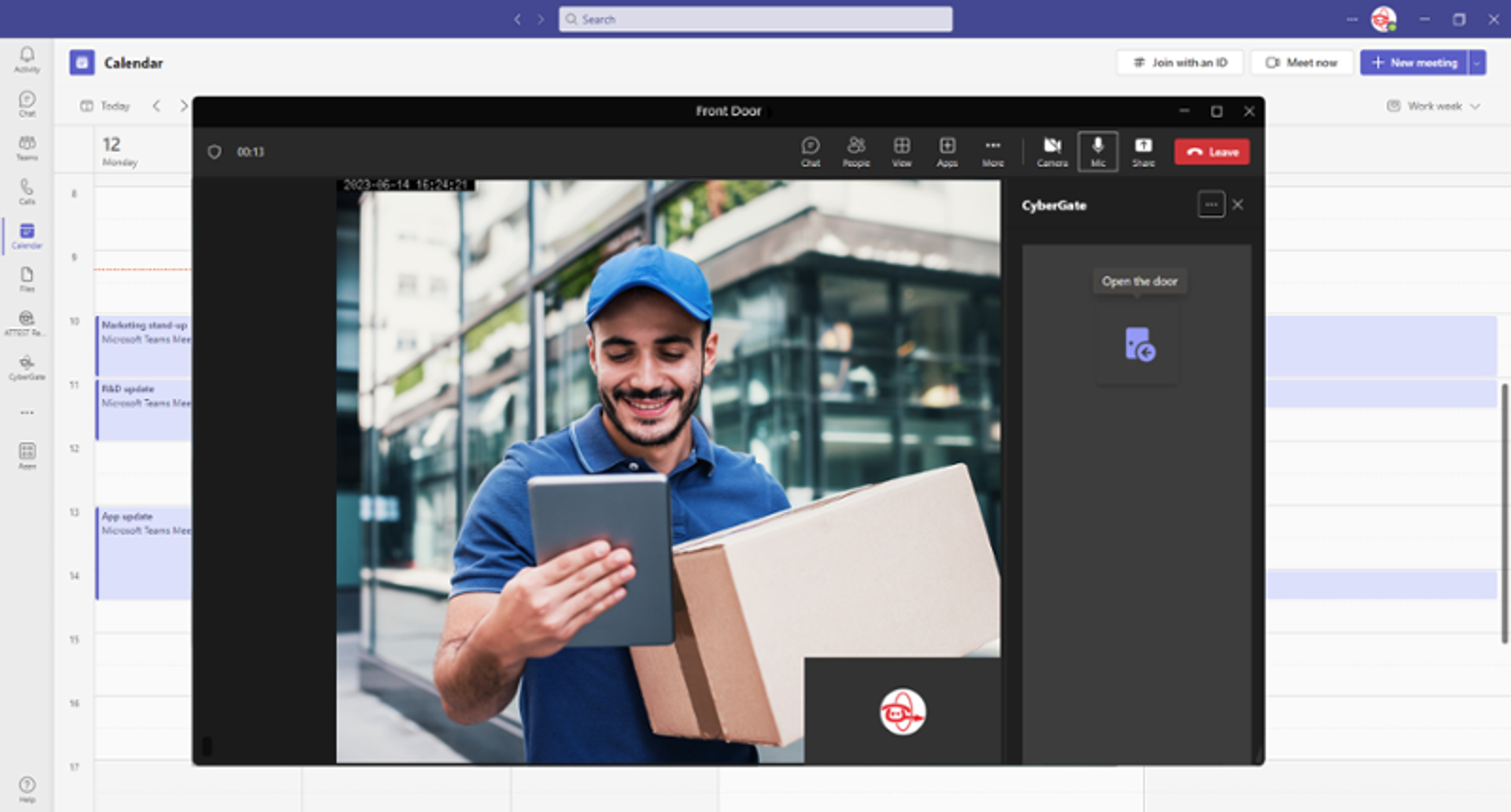
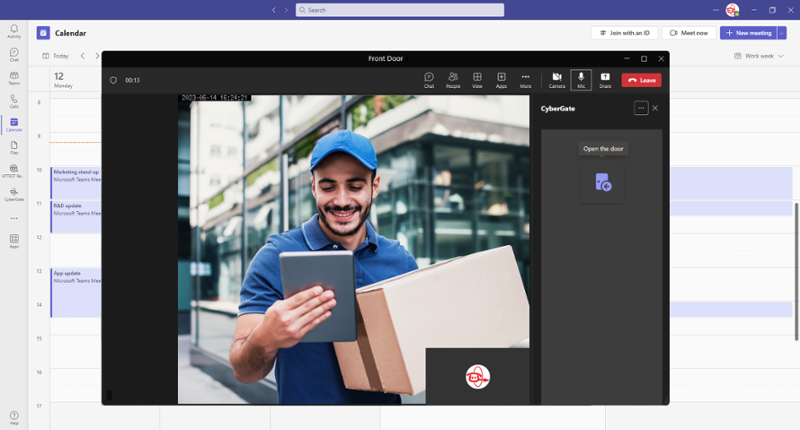
Bring your Access Control, Surveillance, and Communication streams straight into your Teams workspace without the complexity. Choose the perfect solution and transparent pricing for your enterprise below.

CyberGate
- Connect any SIP intercom
- Two-way audio + video
- Hosted in Azure
- Microsoft Teams integration
Best for: Facilities Management, Security Teams

CyberAssist
- Assistive support
- Real-time guidance
- Audit trail
Best for: Helpdesk, Field service


CyberAttest
- Compliance reporting
- Evidence capture
- Tamper-proof logs
Best for: Regulated industries
8 — Solutions Carousel (sectionSolutions) dark

CyberGate
- Connect any SIP intercom
- Two-way audio + video
- Hosted in Azure
- Microsoft Teams integration
Best for: Facilities Management, Security Teams

CyberAssist
- Assistive support
- Real-time guidance
- Audit trail
Best for: Helpdesk, Field service


CyberAttest
- Compliance reporting
- Evidence capture
- Tamper-proof logs
Best for: Regulated industries
Features
9 — Icon Grid
(sectionIconGrid)
Side-by-side layout. Switch to stacked for a 3-column variant.
Secure
Hosted in Azure with end-to-end encryption.
Lees meer in de security whitepaper.
Fast
Sub-second response times.
Global
Available in 12 regions worldwide.
Collaborative
Multi-user notifications via Teams.
How it works
10 — Steps
(sectionSteps)
Stacked layout. Step numbers are auto-generated.
Step 1: Sign up
Create your account in under a minute.
Of bekijk eerst de demo om te zien wat er mogelijk is.
Step 2: Connect your devices
Add intercoms via the management portal.
Step 3: Go live
Receive calls in Microsoft Teams.
Pricing
11 — FAQ
(sectionFaq)
How is the showcase page kept up to date?
Re-run scripts/migrate-section-showcase.js. It uses createOrReplace so the page is overwritten in place.
Zie ook de documentatie voor meer context.
Will it appear in search results?
No — the page is created with noIndex: true. It is intended only for internal QA.
What if a section schema changes?
Update the matching block in the script and run the migration again. Any field that doesn't exist on the schema will simply be ignored.
Use case
12 — Product Detail
(sectionProductDetail)
Long-form intro paragraph. Product Detail combines a headline, statistics, an image, an optional quote block and CTAs.
40 %
Faster response
12
Locations
Zero
Downtime

“This solution transformed how our facilities team handles visitor access. Verifying the rich-text quote rendering.”
Lees het volledige klantverhaal.
13 — Product Overview (sectionProductOverview)
Grid of product cards with optional names and a footnote.
Demo Product Alpha
Demo Product Beta

Demo Product Gamma
Demo Product Delta
Demo footnote — not all products displayed.
Plans
15 — Pricing
(sectionPricing)
Pricing cards with multiple billing periods and a highlighted card.
Starter
per device/month
Get 10% discount
- 1 device included
- Microsoft Teams integration
- Email support
Best for: Small offices
Pro
per device/month
Save $60
- Up to 10 devices
- Recording + storage
- Priority support
- Advanced reporting
Best for: Mid-size organizations
Enterprise
Talk to sales
- Unlimited devices
- SLA + 24/7 support
- Custom integrations
Best for: Large enterprises
Plans
15 — Pricing dark
(sectionPricing)
Pricing cards with multiple billing periods and a highlighted card.
Starter
per device/month
Get 10% discount
- 1 device included
- Microsoft Teams integration
- Email support
Best for: Small offices
Pro
per device/month
Save $60
- Up to 10 devices
- Recording + storage
- Priority support
- Advanced reporting
Best for: Mid-size organizations
Enterprise
Talk to sales
- Unlimited devices
- SLA + 24/7 support
- Custom integrations
Best for: Large enterprises
16 — Compatibility Grid (sectionCompatibilityGrid)
Tiles below come from compatibilityTile documents — not embedded in this page.


























17 — Compatibility Table (sectionCompatibilityTable)
Verifies columns, categories, products and the three cell value variants.
| Products | Audio | Video | Secure SIP |
|---|---|---|---|
| Demo SIP Intercoms | |||
| Model A100 | - | ||
| Model A200 | |||
| Model A300 (firmware ≥ 2.6) | HD only | ||
| Demo IP Cameras | |||
| Camera C100 | - | - | |

“The integration with Microsoft Teams is exactly what we needed. Setup took less than a day.”
18 — Testimonials (sectionTestimonials)
Short paragraph below the headline. Verifies rich-text rendering inside testimonials.
Bekijk meer klantverhalen.
- Sub-second response
- Integrated with Teams
- Zero downtime
19 — CTA (sectionCta)
Final call-to-action with image and logo block pattern. Background variants live in the schema.

Why CyberTwice?
20 — Image Grid
(sectionImageGrid)
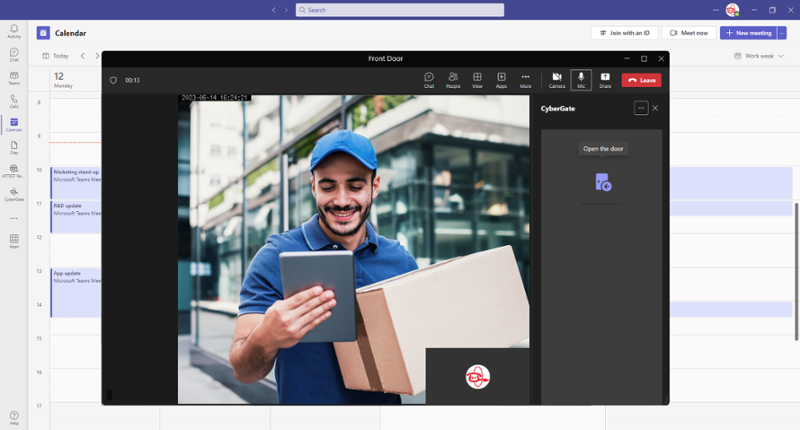
Title + description + image per item. Verifies columns and aspect-ratio variants.
Remote-First Culture
Work from anywhere in Europe. We trust you to do your best work where you're most comfortable.
Bekijk onze remote handboek.
Learning Budget
€2,000/year for conferences, courses, books. We invest in your growth.
Work-Life Balance
Flexible hours, unlimited PTO, and no crunch culture. Life comes first.

Competitive Compensation
Market-rate salaries, equity, and comprehensive benefits package.
Best Tools
MacBook Pro, external monitors, noise-canceling headphones. Whatever you need to excel.
Impact
Small team, big problems. Your work directly impacts 500+ enterprise customers.
Intro statement
21 — Intro (sectionIntro) below fold
Rotating accent line one
First slide description. With multiple items the section auto-rotates.
Second slide description. Verifies the rotation animation.
Third slide. Loops back to the first afterwards.